

Skip to content
Sign up

For freelancers and agency teams

New Project? Clear Scope

Limit revisions. Clients can check progress.

Build your service site, share it, collect briefs, invoice clients. Keep projects organized.

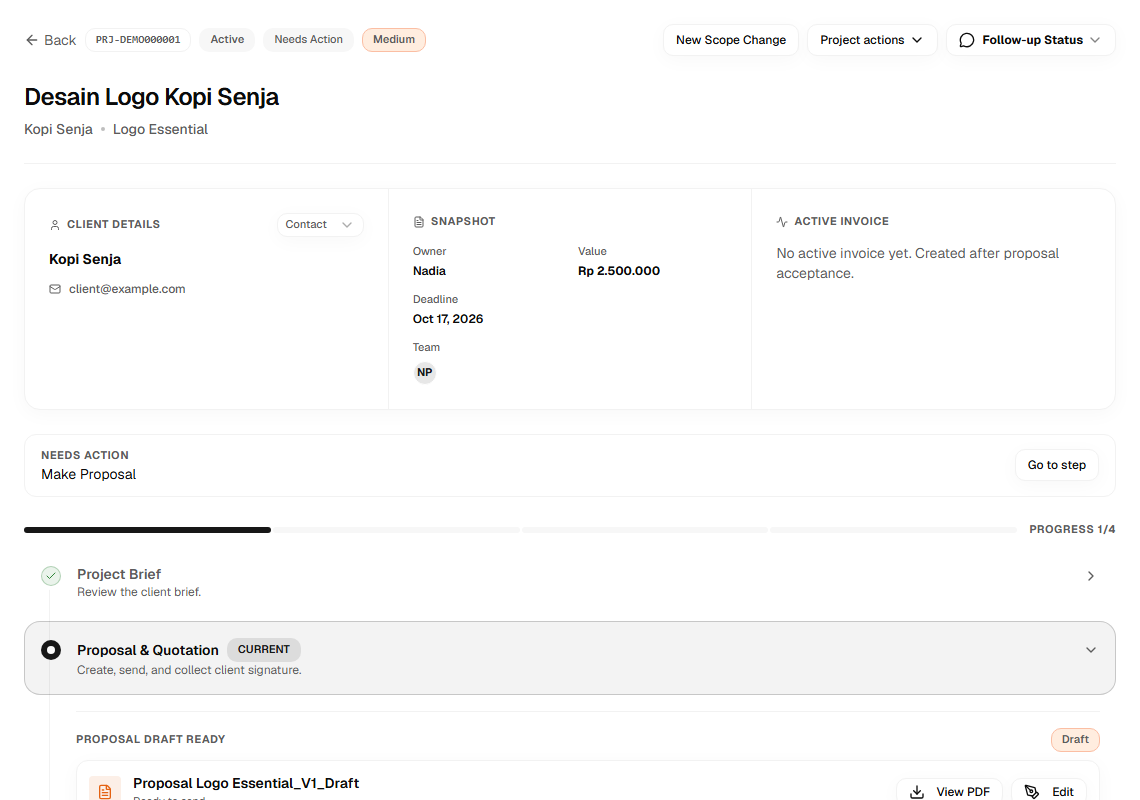
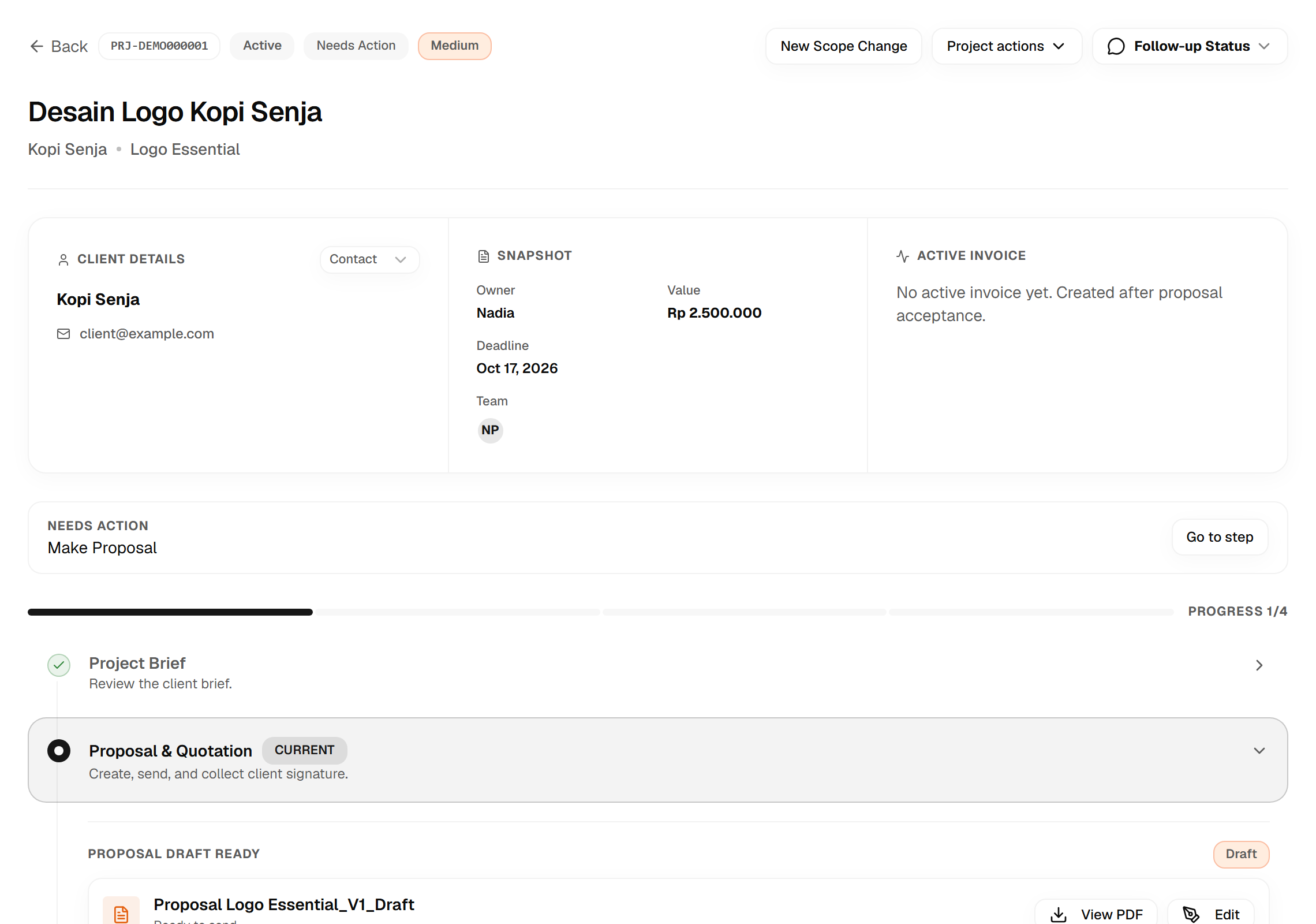
Example Scopiax project detail with workflow and progress; illustrative data.

Workflow & progress details

Tired of this?

Before

  • Explaining the same package in every chat.
  • Orders pile up. What comes first?
  • Chasing briefs and materials. Still incomplete.
  • More revisions. Awkward fee discussions.
  • Clients keep asking about progress.
  • Checking who's paid, one by one.
  • Which term is due? What work is it for?

With Scopiax

  • Services, price & scope. One page.
  • See priorities and project next steps.
  • Required forms are part of the workflow.
  • Agreed revision limits and extra work pricing.
  • Clients check progress in their portal.
  • Deposits, milestones, and invoices tracked.
  • See work stages and payment milestones.

Organized work. Happy clients.

From services to finished projects.

Every work stage, in one flow.

Sales Page Builder

Build your service page

Create a landing page, catalog, and service link for clients.

  • Define packages, scope, and revision limits.
  • Show pricing and your past work.
  • Build the brief form your service needs.
  • Order or custom quote, based on the package.
Build a service page
Scopiax service page editor screenshot; illustrative data.
Scopiax service page screenshot with packages and scope; illustrative data.
Scopiax service page color palette settings; illustrative data.

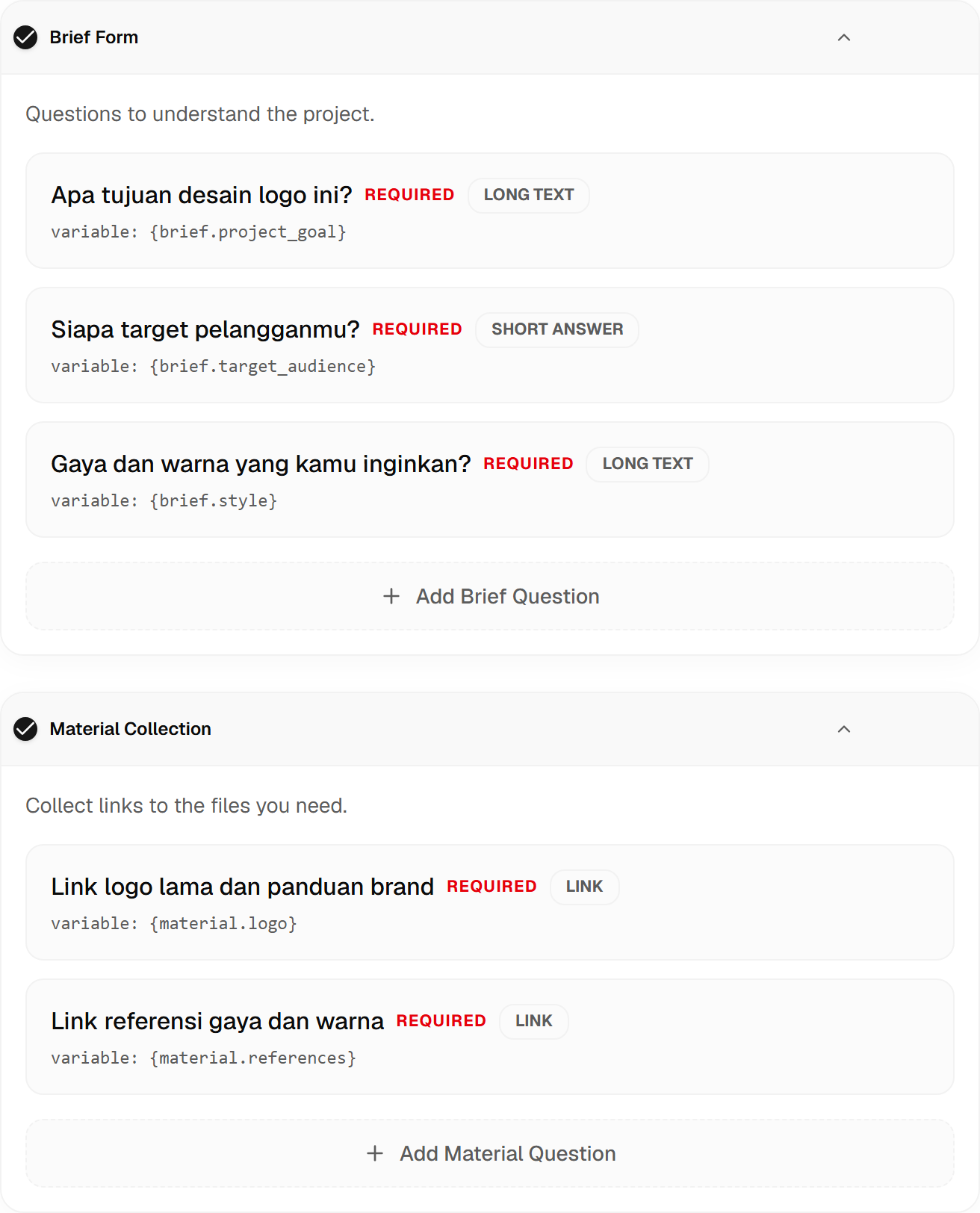
Brief & Material Form Builder

Brief & materials.

Skip scattered questions. Ask for a clearer brief before approval.

  • Set questions for your service.
  • Mark answers that clients must provide.
  • Request changes when the brief is unclear.
  • Request reference links and client materials.
  • Keep the brief and materials with the project.
Build your service form
Scopiax brief and material form settings screenshot; illustrative data.
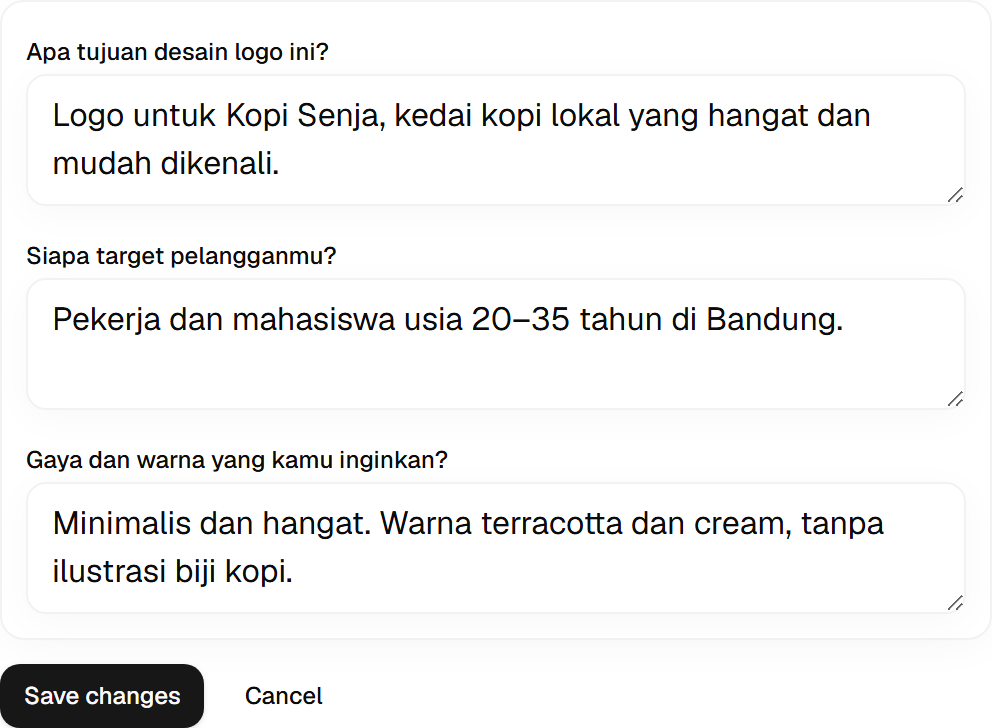
Example Scopiax brief form filled by a client; illustrative data.

Proposal Builder

Generate proposals automatically

Draft from your template. Review, send, agree.

  • Fill a draft from the brief and service template.
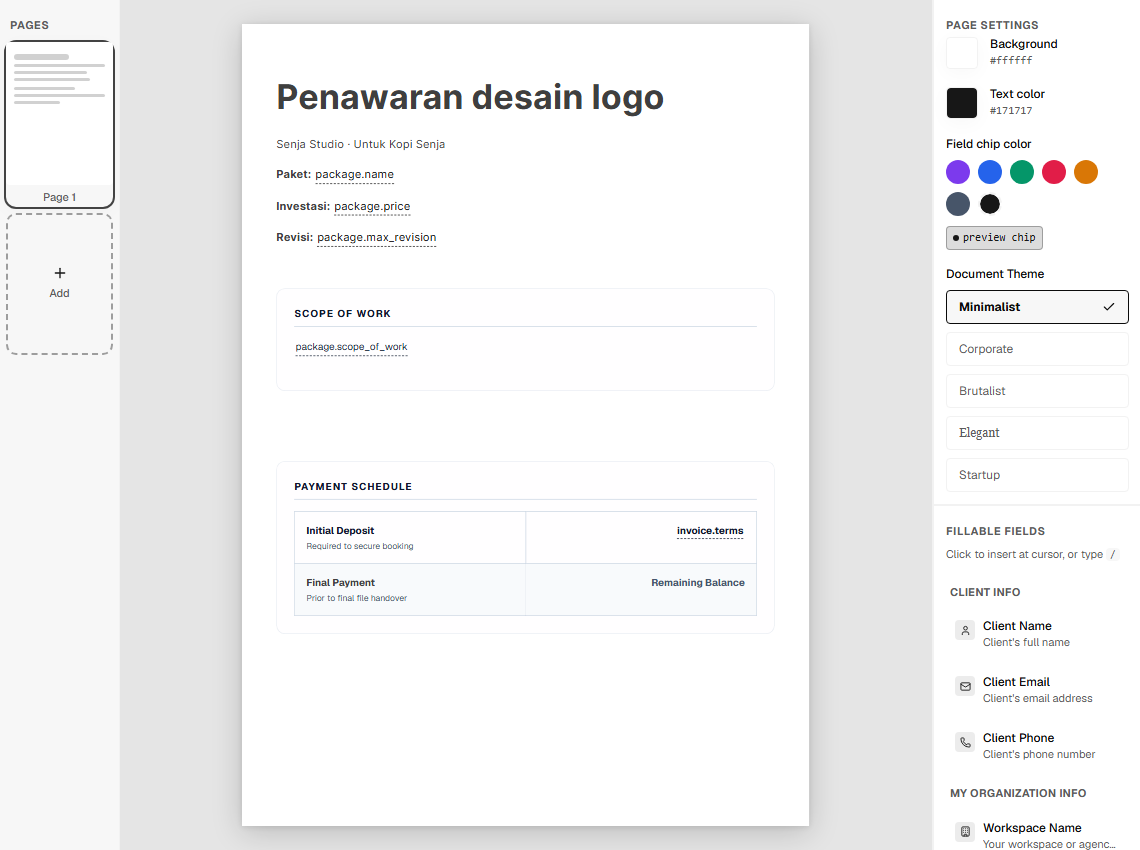
  • Choose your proposal theme and colors.
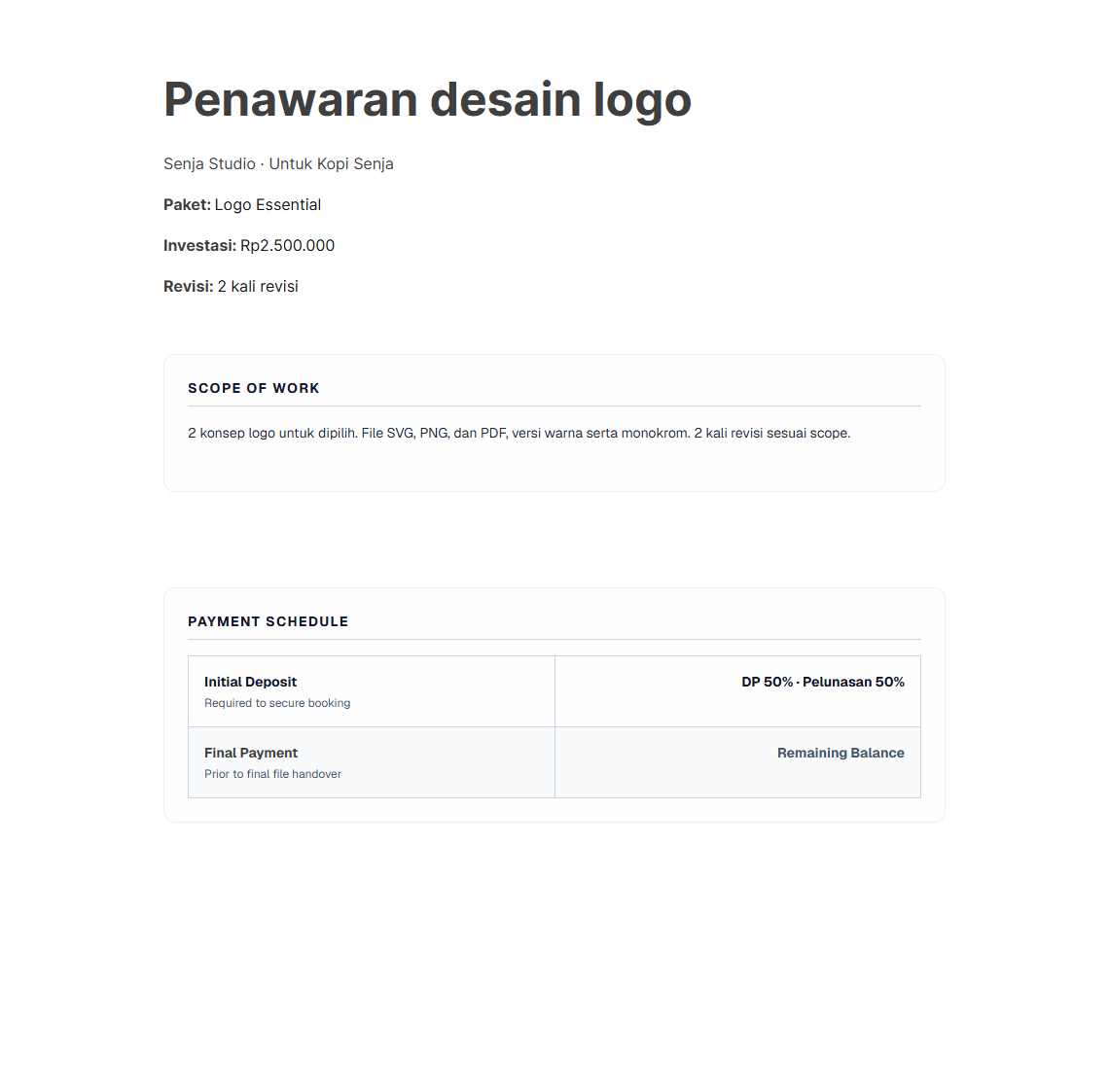
  • Review scope, price, and terms before sending.
  • Clients review and sign in their portal.
Create a proposal
Scopiax proposal theme and template editor; illustrative data.
Example Scopiax proposal output; illustrative data.

Task Management

Clear order priorities.

Orders, briefs, materials, and feedback in one project.

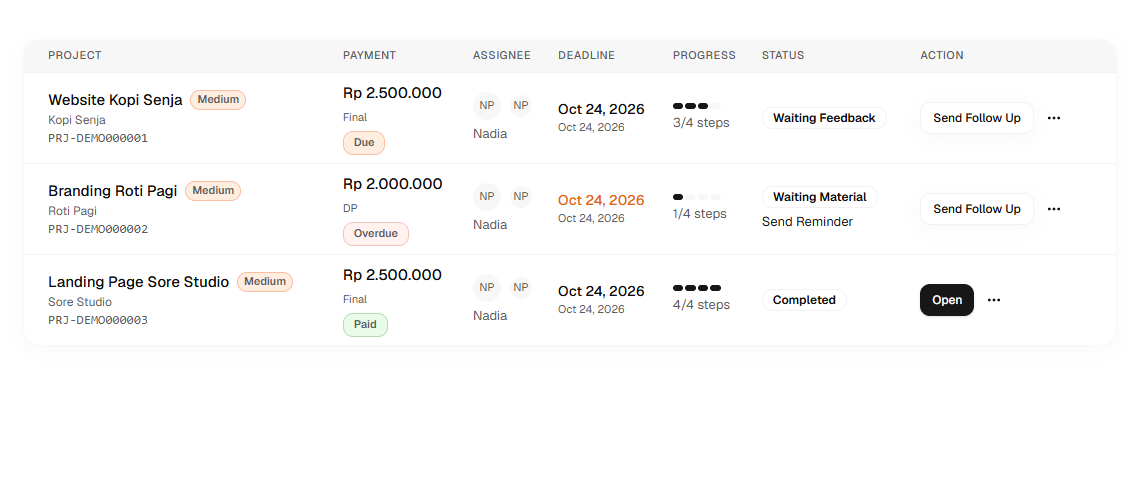
  • See incoming orders and their priority.
  • Open the brief and materials you need.
  • Follow client feedback and responses.
  • Keep internal notes separate.
Set up a project
Scopiax order list and project priority screenshot; illustrative data.
Example Scopiax project detail with workflow and progress; illustrative data.

Revision Counter and Revision Management

Extra revisions. Extra fee.

Extra scope? Make extra charges easier to agree.

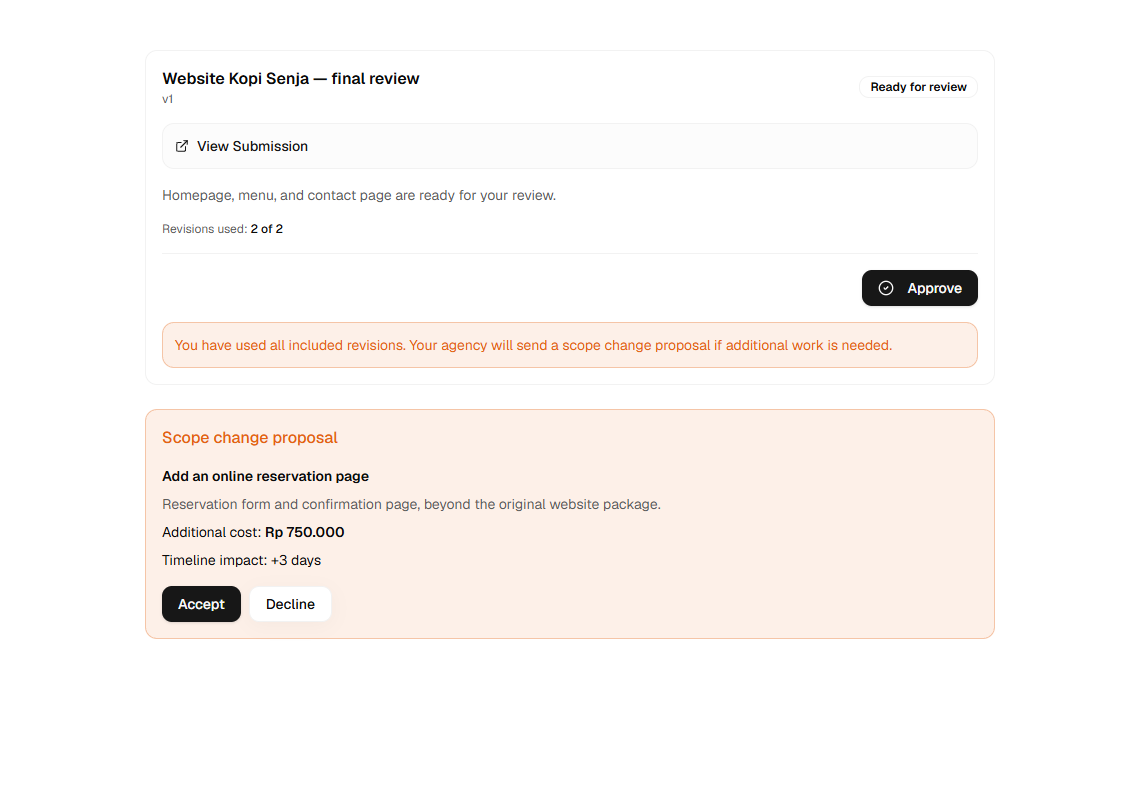
  • Revision requests follow the agreed allowance.
  • Propose extra work, price, and timeline.
  • Clients accept or decline your offer.
  • Extra invoices follow client approval.
Set work boundaries
Example Client Portal UI with revision allowance and extra work; illustrative data.

Client Portal

Progress & revisions.

Progress, revisions, and deliverables, in one place.

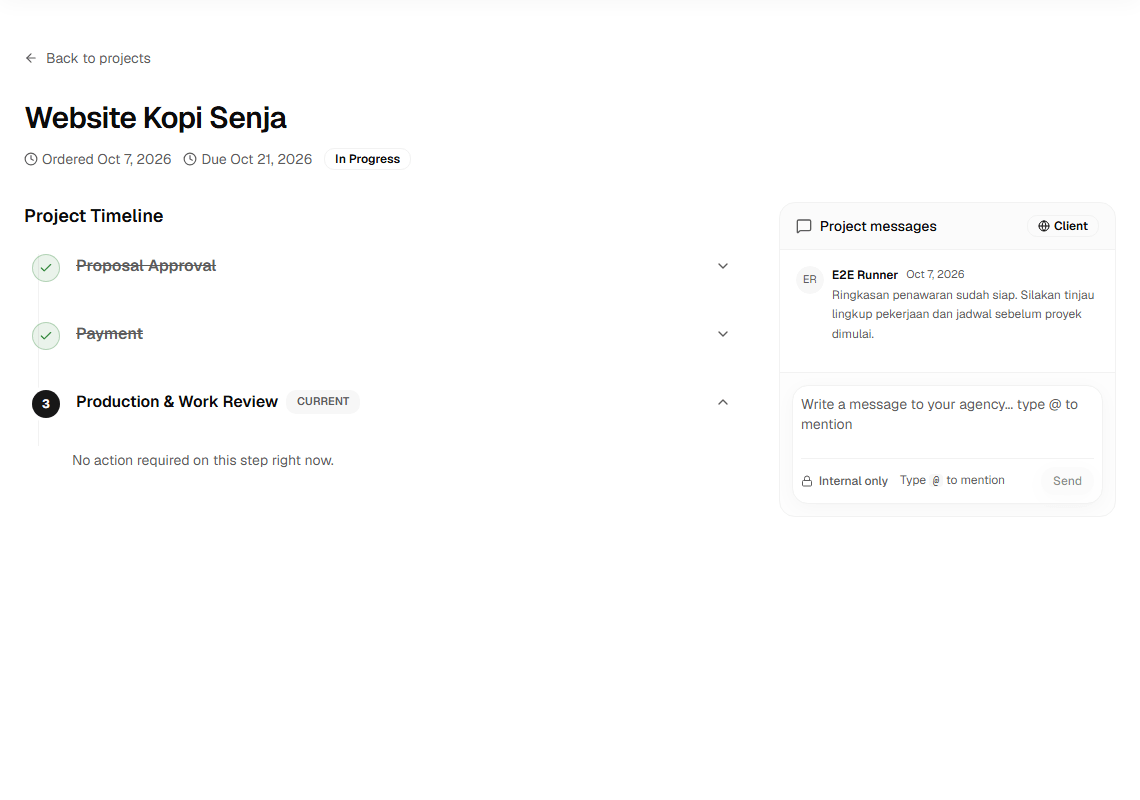
  • Clients see progress and project status.
  • Share links from your storage service.
  • Clients send materials and revision feedback.
  • Review proposals and extra work offers here.
  • Internal notes stay with your team.
Create a Client Portal
Example Client Portal UI with progress and approvals; illustrative data.
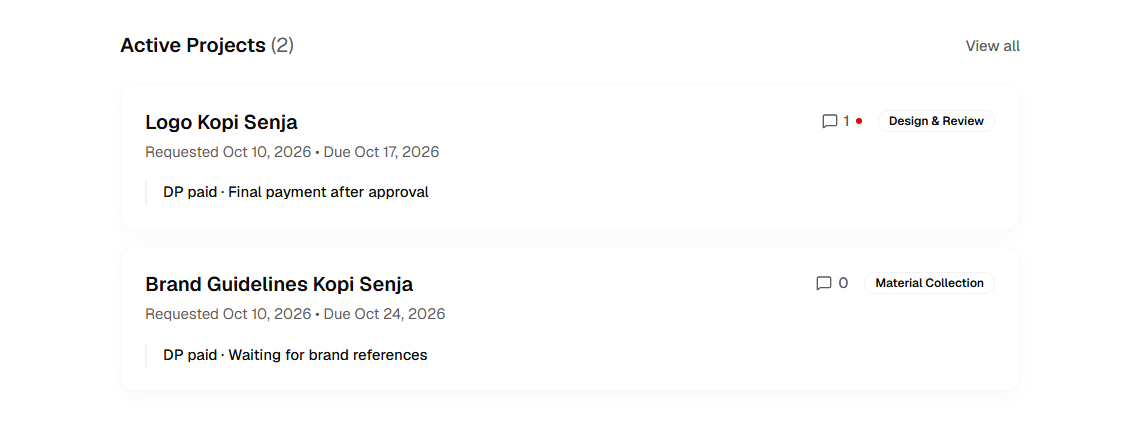
Active projects in the Scopiax client portal; illustrative data.
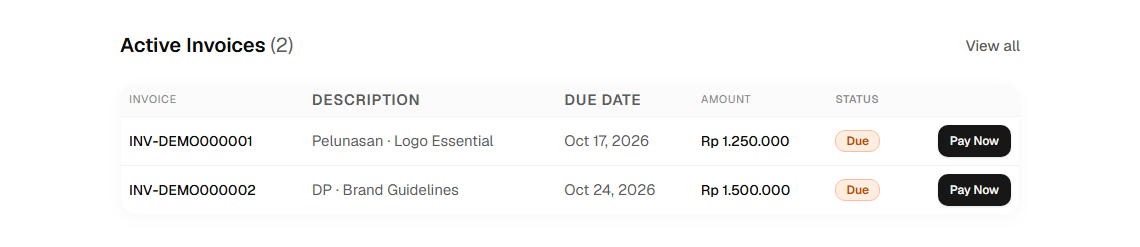
Active invoices in the Scopiax client portal; illustrative data.

Generate invoices automatically

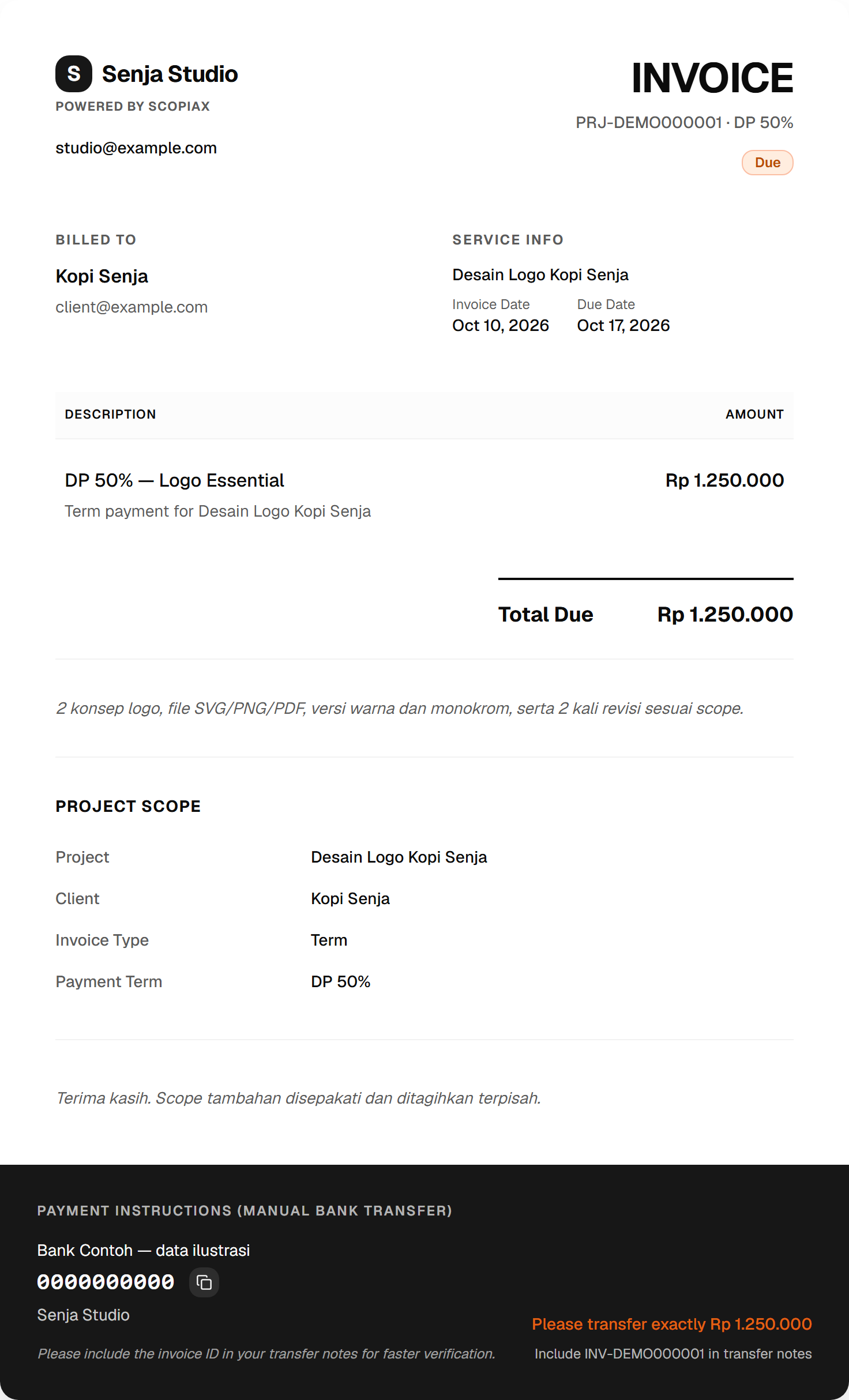
Proposal accepted. Your deposit invoice is ready.

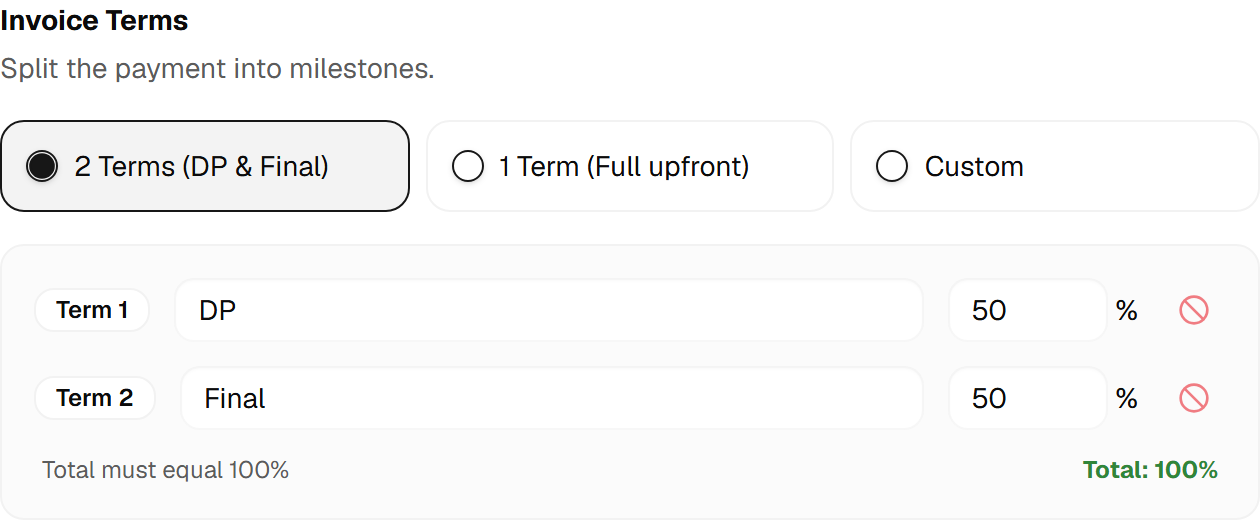
  1. Set payment terms

    Define percentages and payment milestones.

  2. Set payment milestones

    Agree when each term is due and its scope.

  3. Check payments

    Review transfer proof before confirming.

  4. Send a reminder

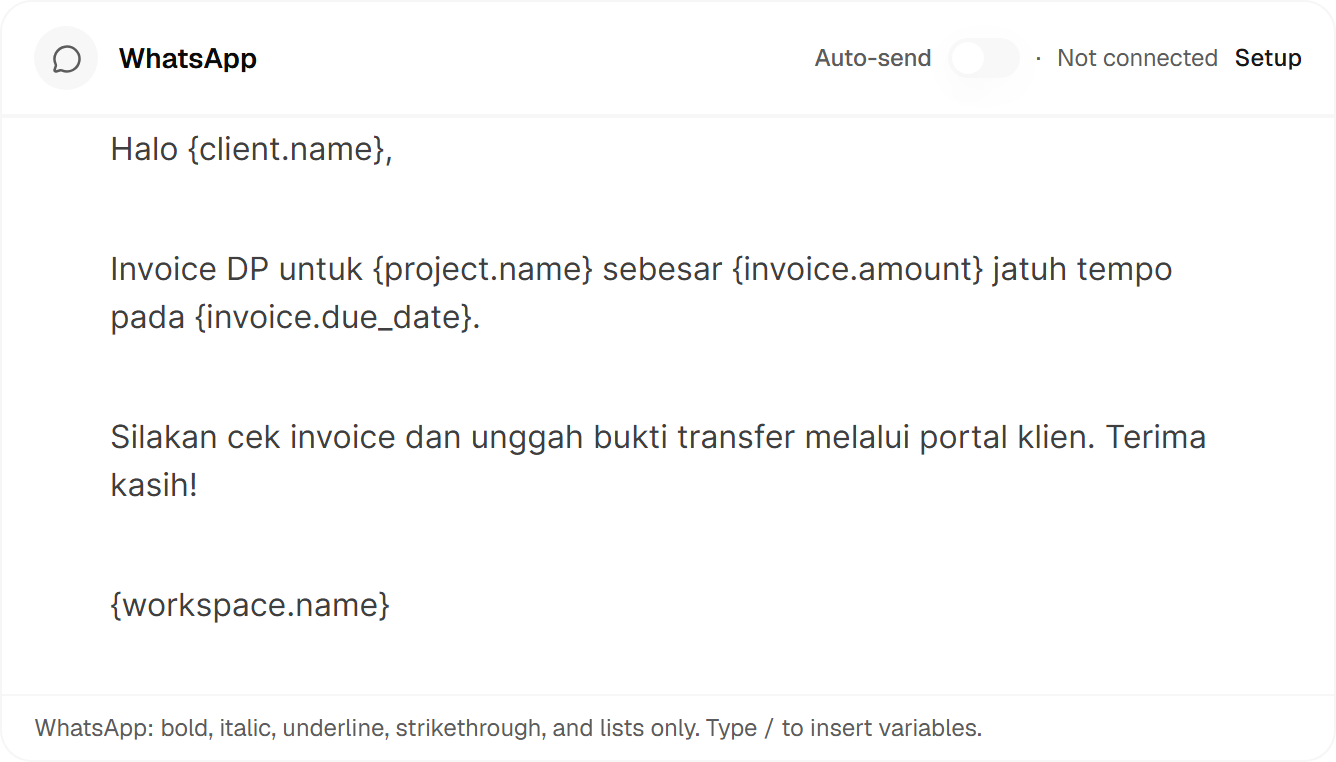
    Prepare a manual message for client invoices.

Fits how you work.

Illustration of an organized freelancer project workflow.

For freelancers

Graphic designTranslationLegalCopywritingPhotographyVideoWeb developmentConsulting

Switch clients without losing the context.

  • Return to briefs and feedback quickly.
  • Know what you're waiting on from clients.
  • Pick up work from the last step.
Illustration of connected tasks across an agency team.

For agencies

MarketingCreativeBrandingDigitalWeb & softwareVideo productionPR & communicationsEvents

Assign projects. Follow deadlines together.

  • Set the owner of each task.
  • See deadlines and priority projects.
  • Keep context for team handovers.

Why Scopiax?

Scope, under control.

Agree on the work early. Keep its boundaries together.

Illustration of agreed work, revision limits, and fees.

Build client trust

Clients know the scope and next steps.

Protect work value

Extra scope gets its own offer.

Reduce mixed messages

Keep briefs, feedback, and agreements.

See what is due

Track deposits, terms, and invoices.

Start free first.

Try one project. Add capacity when you need it.

Currency

Free

For getting started solo.

$0/month

Start free
  • 1 team members
  • 5 clients
  • 2 active projects
  • 2 services
  • 3 proposals/month
  • 3 invoices/month

Pro

For growing teams and projects.

$39/month

Choose plan
  • 10 team members
  • 150 clients
  • 50 active projects
  • Unlimited services
  • 60 proposals/month
  • 80 invoices/month

Business

More capacity for your agency.

$99/month

Choose plan
  • Unlimited team members
  • Unlimited clients
  • Unlimited active projects
  • Unlimited services
  • Unlimited proposals/month
  • Unlimited invoices/month

Answers for your needs

More questions? Get in touch.

Ask the Scopiax team
Does it fit my services?

For service work with projects and revisions.

Start with one package and define the workflow.

Can I start free?

Yes. Build a service page and try a project.

Free limits clients, projects, and documents.

Review each plan's capacity in the app.

How do clients access it?

Send clients their portal link.

Progress, revisions, and work in one place.

What if revisions run out?

Propose extra work, pricing, and a timeline.

Client approval comes before the extra invoice.

Payments and reminders?

Set deposits. Clients transfer to your account.

You review proof before confirming payment.

Prepare manual reminders from a project.

Automation needs integrations and a schedule.

Let's organize work.

Start your next project with clearer scope and organized work.

Illustration of a project with clear scope, progress, and payments.